Sherpa Security
Sherpa projects are built prioritising security with a principle of least privilege.
Virtual Firewalls
You will notice in the Sherpa GUI that machines are separated by functional type: workstations, storage etc.
Each Sherpa project has its own virtual firewall and within each project, each functional type is surrounded by its own virtual firewall. Only the bare minimum is allowed in-bound on each firewall to satisfy required functionality.
File server access
For example workstations can access the shared storage via either NFS (Linux file sharing) or SMB (Windows file sharing).
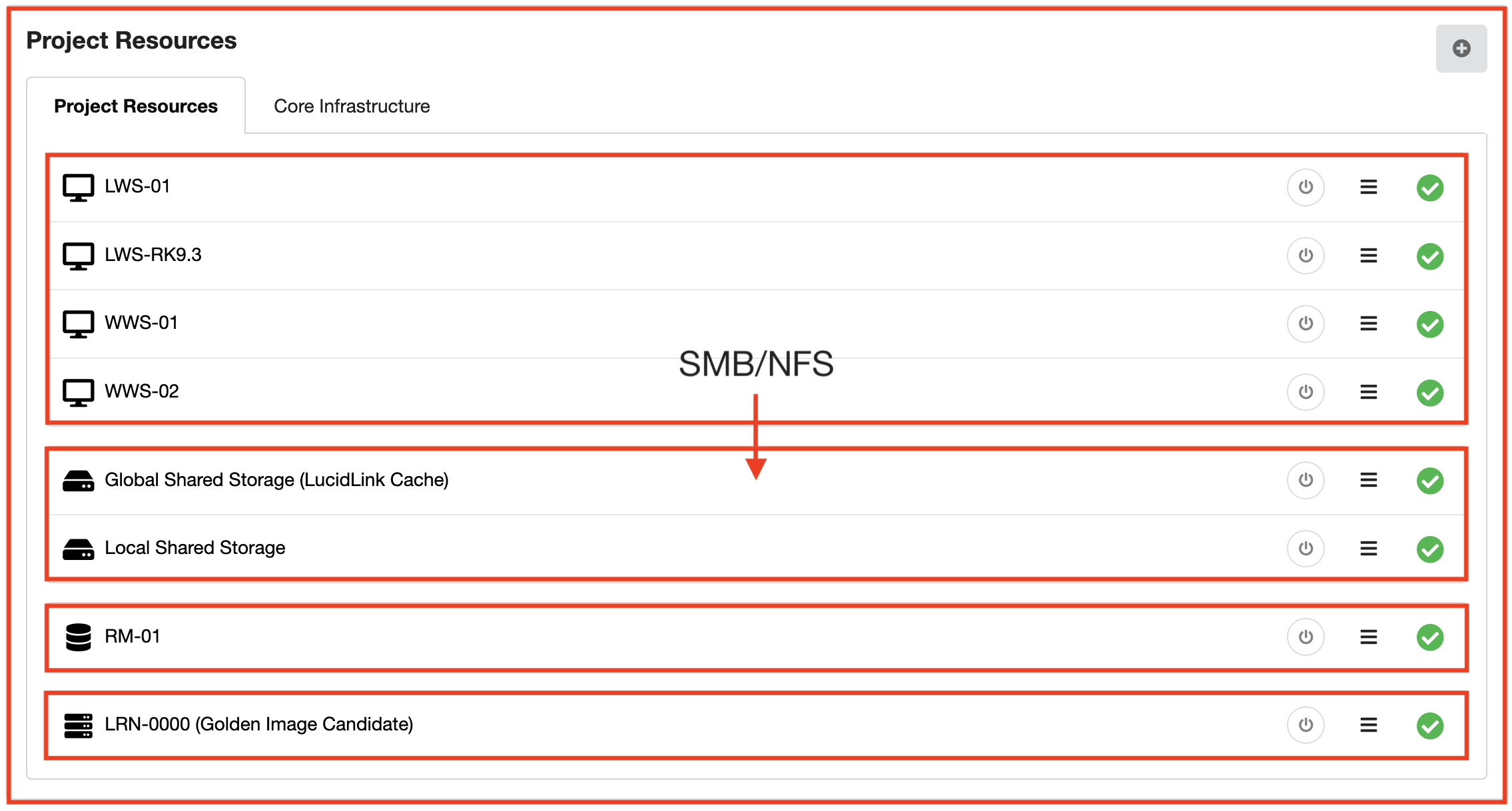
This principle of least privileges may cause some confusion. For example if you were to install a web server, requiring access on port 80, on one of the storage servers, this web server would not be accessible to the workstations. Port 80 is not allowed inbound by default to the storage servers.
If you wish to add additional services to your Sherpa project we can assist you in examining the requirements and only open up what is minimally required.
Workstation access via PCoIP
Access to the Display Gateways is controlled by an IP allow-list. IPs on the allow list are only allowed to access the Display Gateway on the ports required to support PCoIP (port 4172) and broker access (port 443).
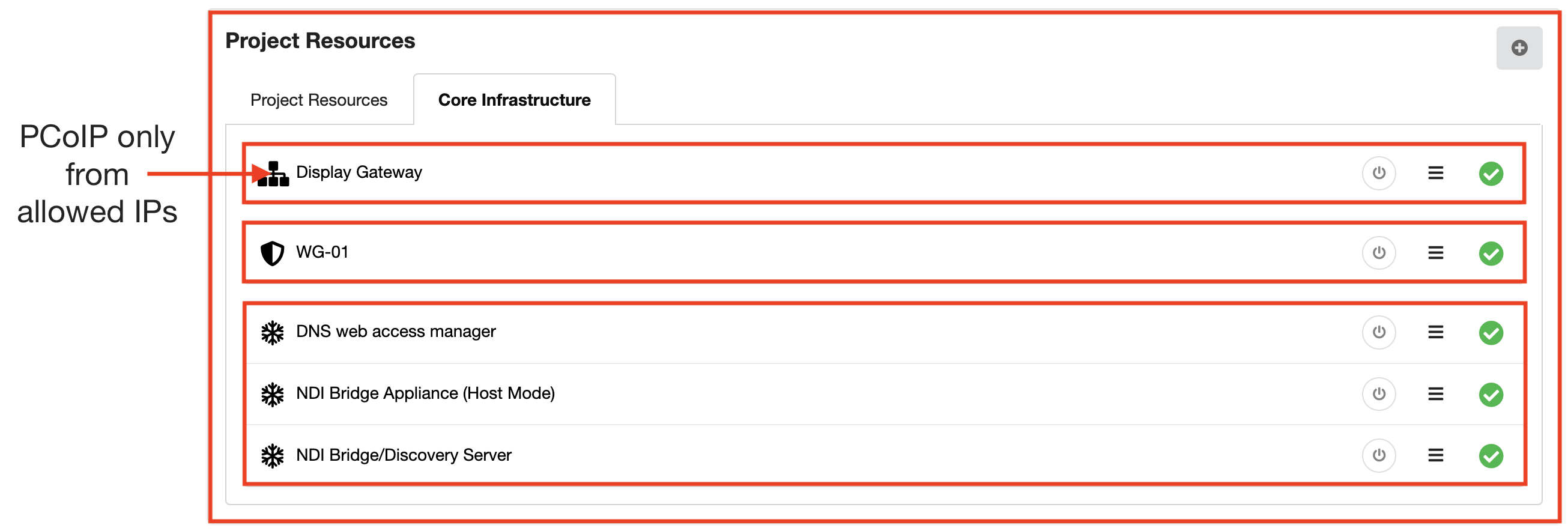
Continuing the idea of strict security, within the Sherpa project the workstations only allow inbound traffic from the Display Gateway via PCoIP (port 4172).

This strict adherence to the idea of least privileges when managing traffic between machine types ensures the robust security at the network level of a Sherpa project.
A full list of virtual firewall rules can be supplied on demand.